One pop-up has driven 7,000+ email subscribers
Pop-ups get a bad reputation. And honestly, a lot of them deserve it – the ones that fire before you’ve even read a sentence, or cover the whole screen on mobile.
But a well-timed pop-up on the right blog post? That’s a different story.
Jillian and Jordan from Loveleigh Loops (aka the Calligraphy Twins) have been using pop-ups on their blog posts, and 1 of them has driven over 7,000 email subscribers on its own.
You might not love pop-ups, but they work.
They’re currently adding about 50 subscribers a day from this setup.
The traffic comes from a mix of organic search and paid ads that drive people to the blog post (not to a landing page, to the actual post). The pop-up does the converting.
How Jillian and Jordan Do It
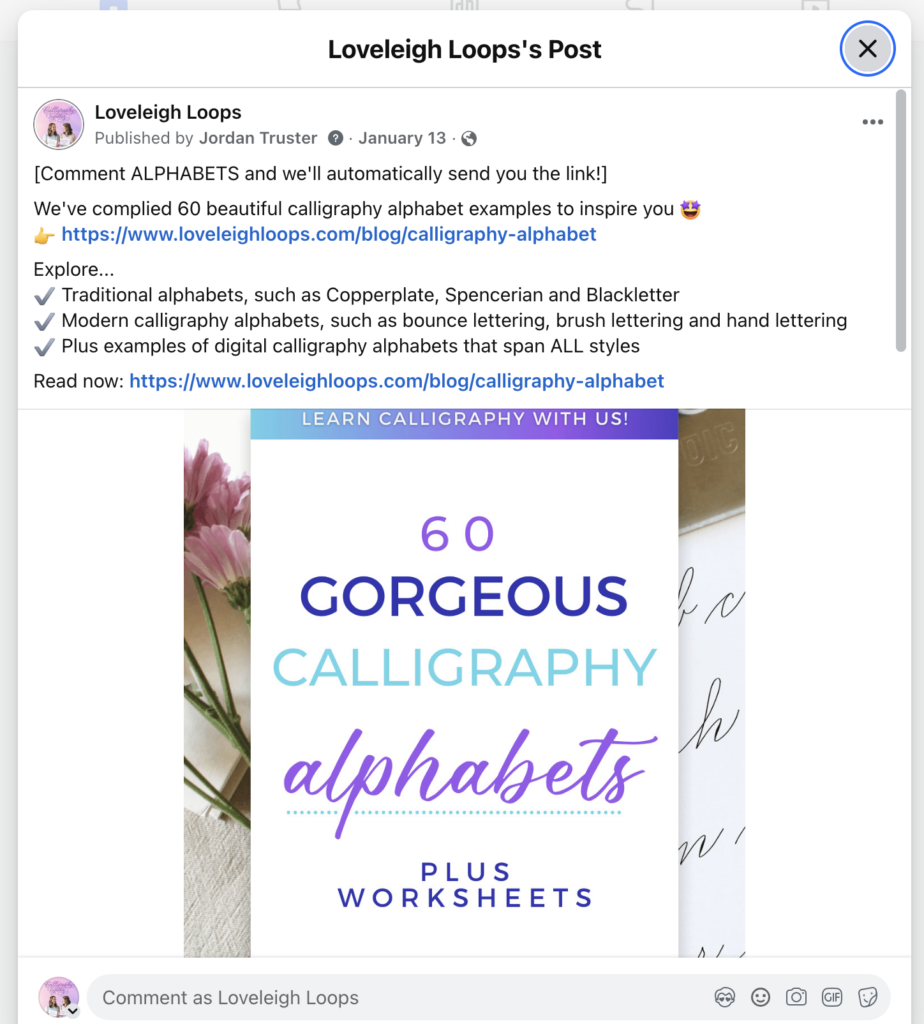
They promote a specific freebie on each blog post. The pop-up offers something directly related to what the reader is already reading. If you’re on a post about different calligraphy alphabets, the pop-up offers a list of 60 of them that goes deeper on that same topic. If you’ve been around for a while, you might recall the term “content upgrades.”

They use Convertbox for the pop-ups and integrate with Kit. Convertbox handles the targeting and display rules (when the pop-up fires, who sees it, how often). Kit handles the email capture and sequences on the back end.
They drive paid traffic to blog posts, not landing pages. This is the part I think a lot of people miss. Instead of running ads to an opt-in page, they run ads to a blog post that already has a converting pop-up on it. The reader gets value from the post first, then the pop-up catches them on the way through.
This part is optional, I think you could still make this work without running paid traffic, it just speeds up the flywheel.
Results
- 7,000+ email subscribers from 1 Convertbox pop-up on 1 blog post 🤯
- ~50 subscribers per day from this setup
- Traffic comes from a mix of organic search and paid ads driving to the blog post
- Every subscriber opted in while reading content related to the freebie, so they’re pre-qualified by interest
Why It Works
A reader is already engaged with that topic. They searched for something, clicked on the post, and started reading. That’s a warmer audience than someone who just saw an ad for a free PDF.
The freebie matches the content they’re already consuming. There’s no mental leap between “I’m reading about X” and “oh, a free resource about X.” The pop-up feels like a natural extension of the post, not an interruption.
Running paid traffic to the blog post instead of a landing page gives you 2 shots at the reader. Even if they don’t convert on the pop-up, they still got value from the post and might come back through organic search later. A landing page is all-or-nothing.
How You Can Implement It
Step 1: Pick your highest-traffic blog post. Check your analytics for the post that already gets the most organic visitors. That’s your starting point.
Step 2: Create a freebie that matches that post’s topic. A checklist, template, swipe file, or short guide that goes deeper on what the reader is already learning about.
Step 3: Set up a Convertbox (or similar) pop-up on that post. Time it so it fires after the reader has scrolled a bit or spent 30+ seconds on the page. Integrate the form with your ESP.
Step 4 (optional): Test running a paid ad to the blog post itself. Not to a landing page, to the post. The pop-up does the converting. Start small and watch the cost per subscriber.
Step 5: Repeat on your next highest-traffic post. Each post + freebie + pop-up combo becomes its own little acquisition channel.
Tools
- ConvertBox for pop-up targeting and display
- Kit (or your ESP) for email capture and sequences
- Your blog with a post that already gets traffic
Final Thought
You probably already have articles and posts getting traffic. Adding a well-matched pop-up to the right post can turn readers into subscribers without building anything new from scratch.
See you tomorrow,
Chenell
P.S. You can follow Jillian and Jordan at Loveleigh Loops.